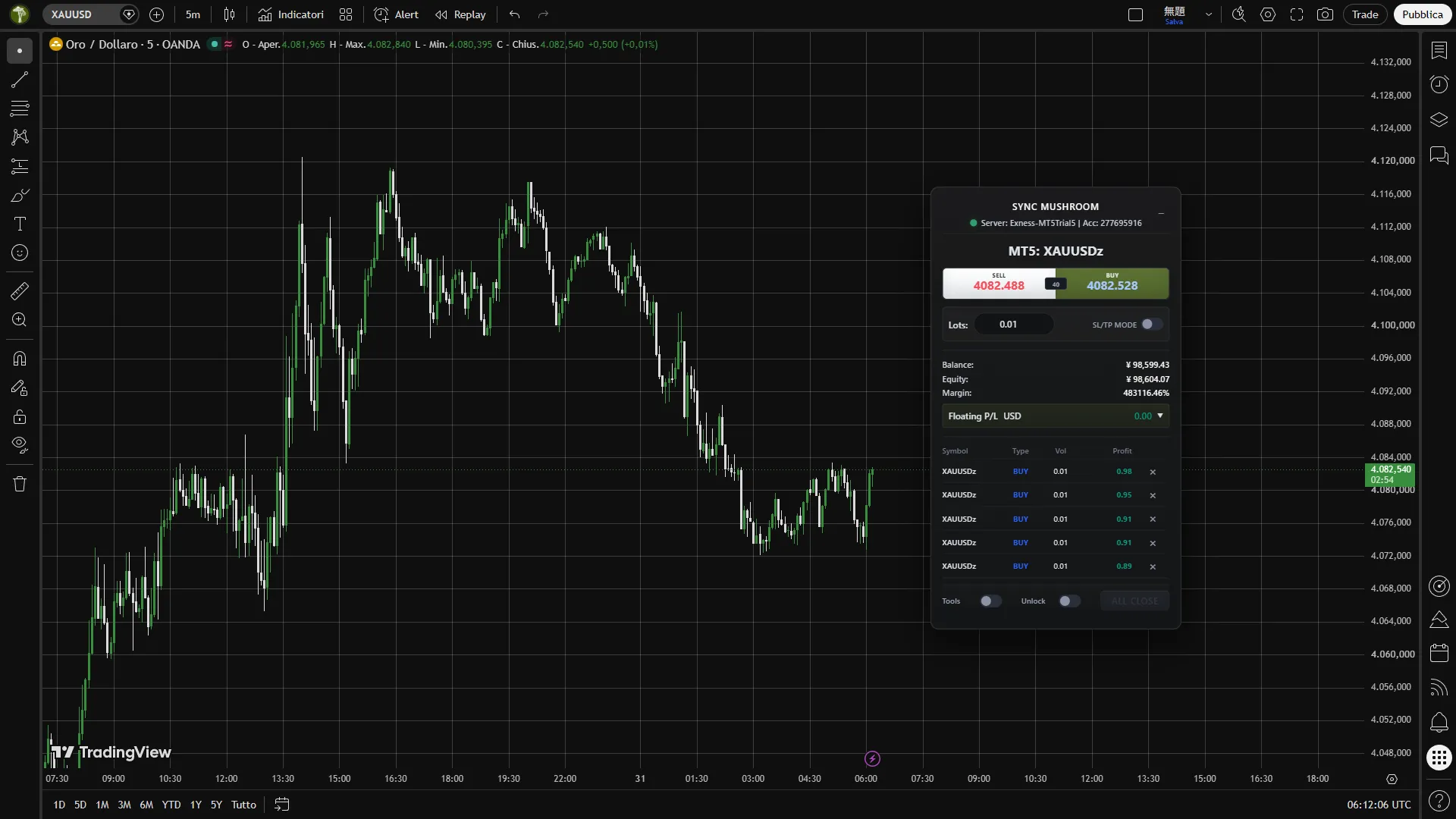
The Continuity
Layer
The screen for analysis
and the screen for
execution
are often separated.
Sync Mushroom carries TradingView
decisions
directly toward MT5 execution.
The screen for analysis and the screen for execution are often separated. Sync Mushroom carries TradingView decisions directly toward MT5 execution.
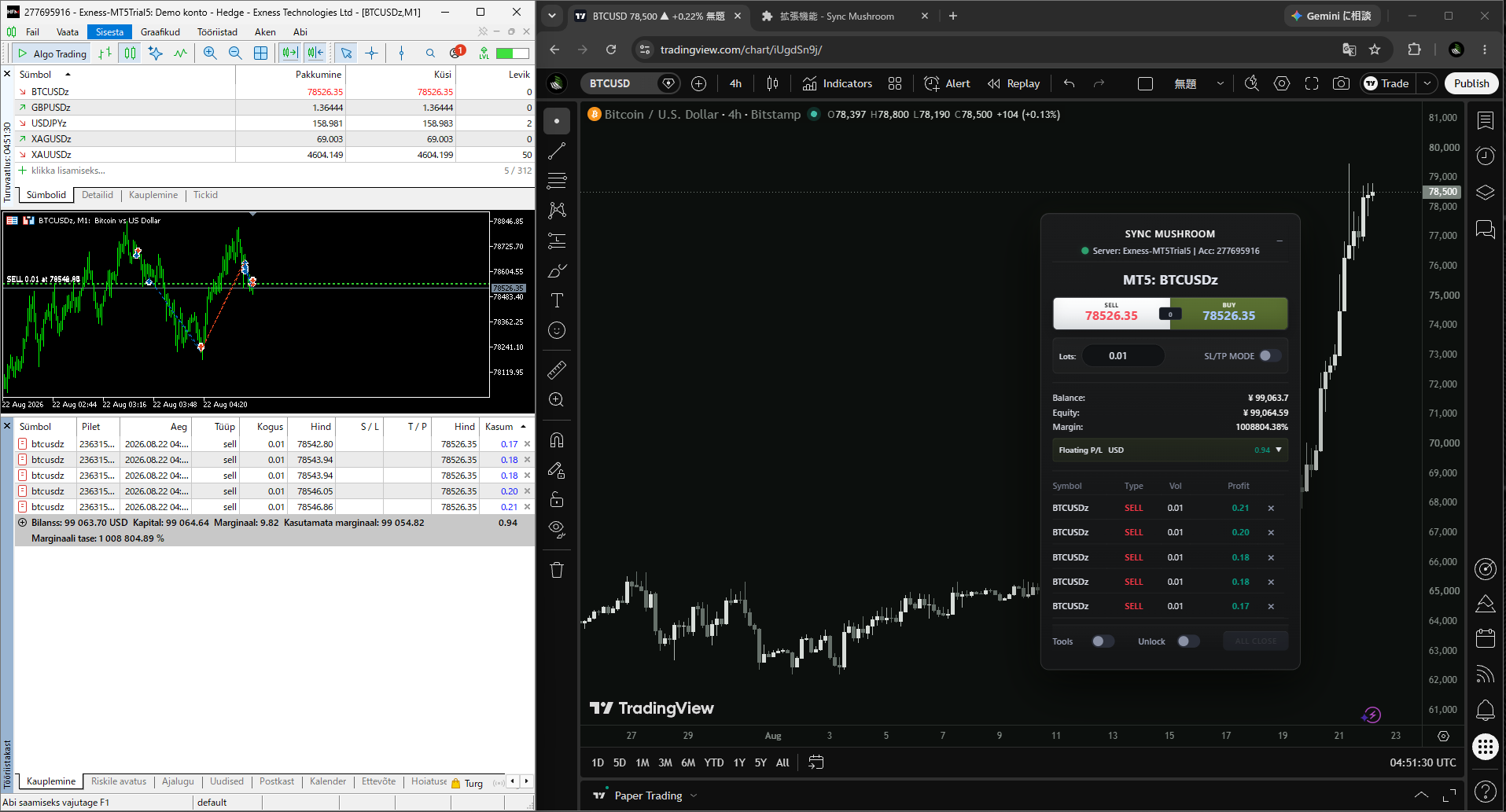
Even when your MT5 environment
is outside
TradingView’s official broker connections
your own terminal can still become
the
execution target through a local route.
Even when your MT5 environment is outside TradingView’s official broker connections, your own terminal can still become the execution target through a local route.
EXNESS, XM Trading, Titan FX
ThreeTrader,
FXGT, BigBoss
HFM, Axiory, Vantage, FBS —
not always inside official lists.
EXNESS, XM Trading, Titan FX, ThreeTrader, FXGT, BigBoss, HFM, Axiory, Vantage, and FBS are not always inside official connection lists.
Sync Mushroom connects to the MT5 terminal
and account
environment you choose.
Broker selection, account type,
leverage settings, and trading
conditions
remain between you and your broker.
Sync Mushroom connects to the MT5 terminal and account environment you choose. Broker selection, account type, leverage settings, and trading conditions remain between you and your broker.
Sync Mushroom does not select
or recommend brokers, set
leverage,
manage your broker account, or hold your funds.
Login, server, positions,
and
execution remain inside MT5.
Sync Mushroom does not select or recommend brokers, set leverage, manage your broker account, or hold your funds. Login, server, positions, and execution remain inside MT5.
Keep the chart open.
Keep the context
alive.
Place execution controls
directly onto the TradingView screen.
Keep the chart open. Keep the context alive. Place execution controls directly onto the TradingView screen.
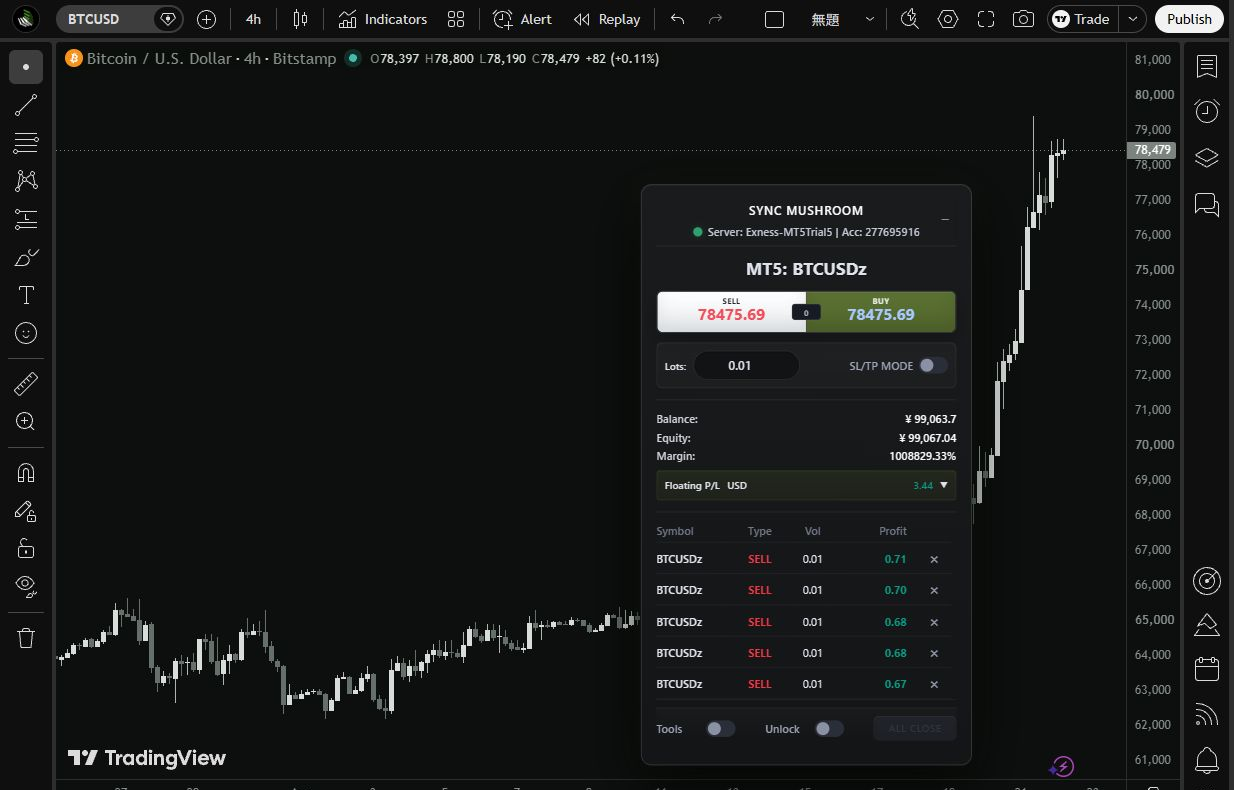
Window switching, monitor shifting
cursor travel,
and window activation
look small in isolation.
In live execution, those small
delays
accumulate between decision and action.
Window switching, monitor shifting, cursor travel, and window activation look small in isolation. In live execution, those small delays accumulate between decision and action.
The cost is not only time.
It is attention,
visual focus
cursor distance, and context loss
between seeing the setup
and
acting on it.
The cost is not only time. It is attention, visual focus, cursor distance, and context loss between seeing the setup and acting on it.
Sync Mushroom does not trade
on behalf of the
user.
It is a manual execution layer
designed to shorten the operating
route
from TradingView to MT5.
Sync Mushroom does not trade on behalf of the user. It is a manual execution layer designed to shorten the operating route from TradingView to MT5.
No signals are automated into trades.
No
condition fires an order by itself.
The trader decides, presses
stops, and
closes.
Sync Mushroom carries that action into MT5.
No signals are automated into trades. No condition fires an order by itself. The trader decides, presses, stops, and closes. Sync Mushroom carries that action into MT5.
The core of Sync Mushroom
is not trade
decision-making.
It is an execution route
that carries already-decided
actions
from TradingView to MT5.
The core of Sync Mushroom is not trade decision-making. It is an execution route that carries already-decided actions from TradingView to MT5.
No hidden strategy logic
sits
underneath.
No AI signal engine.
No automated decision-making
disguised as
discretion.
No hidden strategy logic sits underneath. No AI signal engine. No automated decision-making disguised as discretion.
Webhooks and Pine alerts
are useful for
notifications
and automation routes.
They are not the same as
a manual
execution panel operated by a human.
Webhooks and Pine alerts are useful for notifications and automation routes. They are not the same as a manual execution panel operated by a human.
An alert can notify.
A webhook can
send.
But watching, waiting
pressing, stopping, or escaping
remains a human
act.
An alert can notify. A webhook can send. But watching, waiting, pressing, stopping, or escaping remains a human act.
Keep the command path
as close to your own machine
as possible.
The TradingView-side panel
and the local bridge
communicate
without a public order endpoint or cloud relay.
Keep the command path as close to your own machine as possible. The TradingView-side panel and the local bridge communicate without a public order endpoint or cloud relay.
No public order endpoint is created.
No
exposed webhook URL is required.
Commands are not handed
to a cloud relay
service.
The route stays inside the local environment.
No public order endpoint is created. No exposed webhook URL is required. Commands are not handed to a cloud relay service. The route stays inside the local environment.
Execution, account state
broker server, and
position data
remain inside MT5.
Sync Mushroom lets the TradingView
cockpit
reach the MT5 engine.
Execution, account state, broker server, and position data remain inside MT5. Sync Mushroom lets the TradingView cockpit reach the MT5 engine.
Broker context, account state
orders,
positions
and server response
remain grounded in MT5.
Sync Mushroom reaches
the terminal you use.
Broker context, account state, orders, positions, and server response remain grounded in MT5. Sync Mushroom reaches the terminal you use.
Symbol intent from TradingView
is resolved against
the visible symbols
in MT5 Market Watch.
Execution points toward
the account
environment you actually use.
Symbol intent from TradingView is resolved against the visible symbols in MT5 Market Watch. Execution points toward the account environment you actually use.
Broker symbols are not always clean.
Suffixes,
account conditions
and Market Watch visibility
can define the actual
route.
Intent resolves against open MT5.
Broker symbols are not always clean. Suffixes, account conditions, and Market Watch visibility can define the actual route. Intent resolves against open MT5.
Place manual market actions
from the TradingView
screen
and route them into your own
local MT5 environment.
Bring decision
closer to launch.
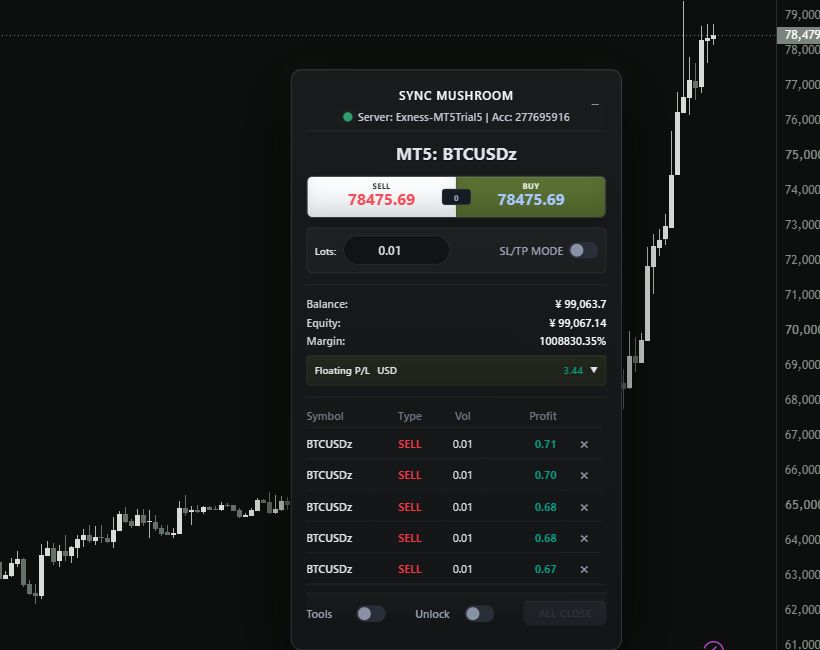
Place manual market actions from the TradingView screen and route them into your own local MT5 environment. Bring decision closer to launch.
Prepare Limit and Stop pending orders
without
leaving the analysis screen.
Keep the setup and execution route
inside the same
visual flow.
Prepare Limit and Stop pending orders without leaving the analysis screen. Keep the setup and execution route inside the same visual flow.
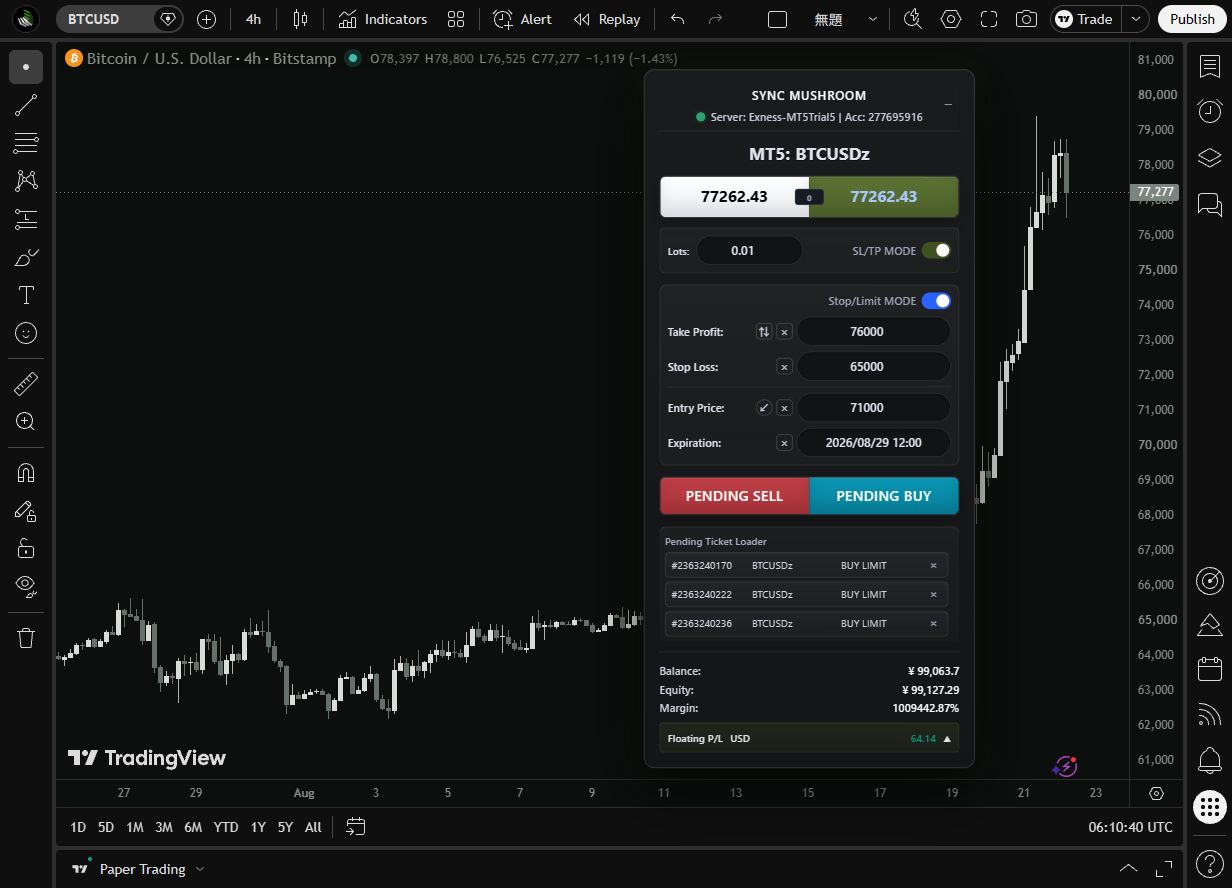
Adjust stops, targets
and order changes without
breaking context.
MT5 remains the execution engine
while the operating
layer
stays close to the chart.
Adjust stops, targets, and order changes without breaking context. MT5 remains the execution engine while the operating layer stays close to the chart.
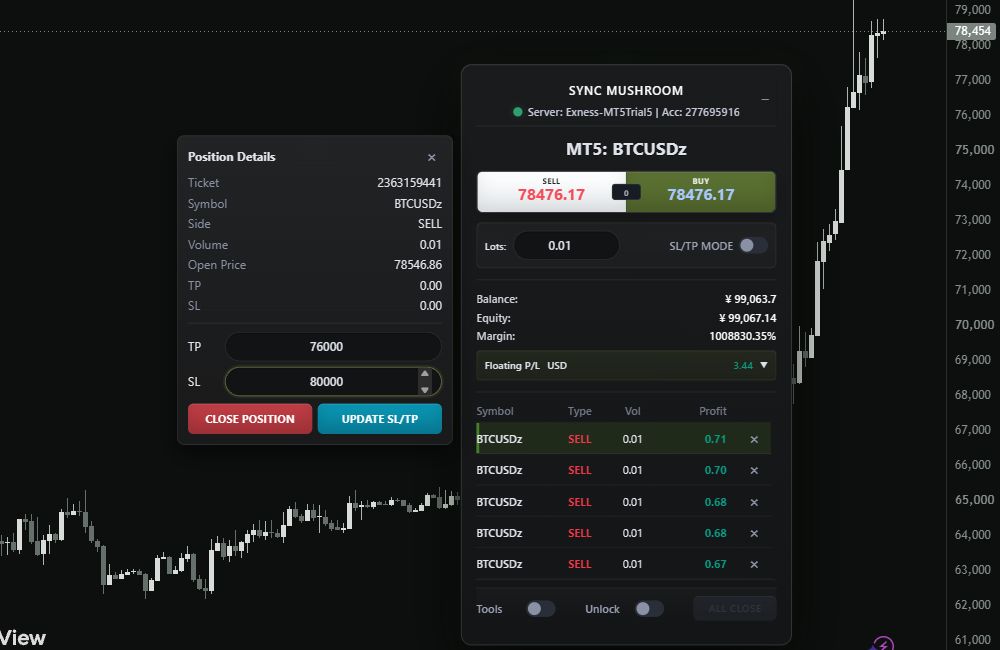
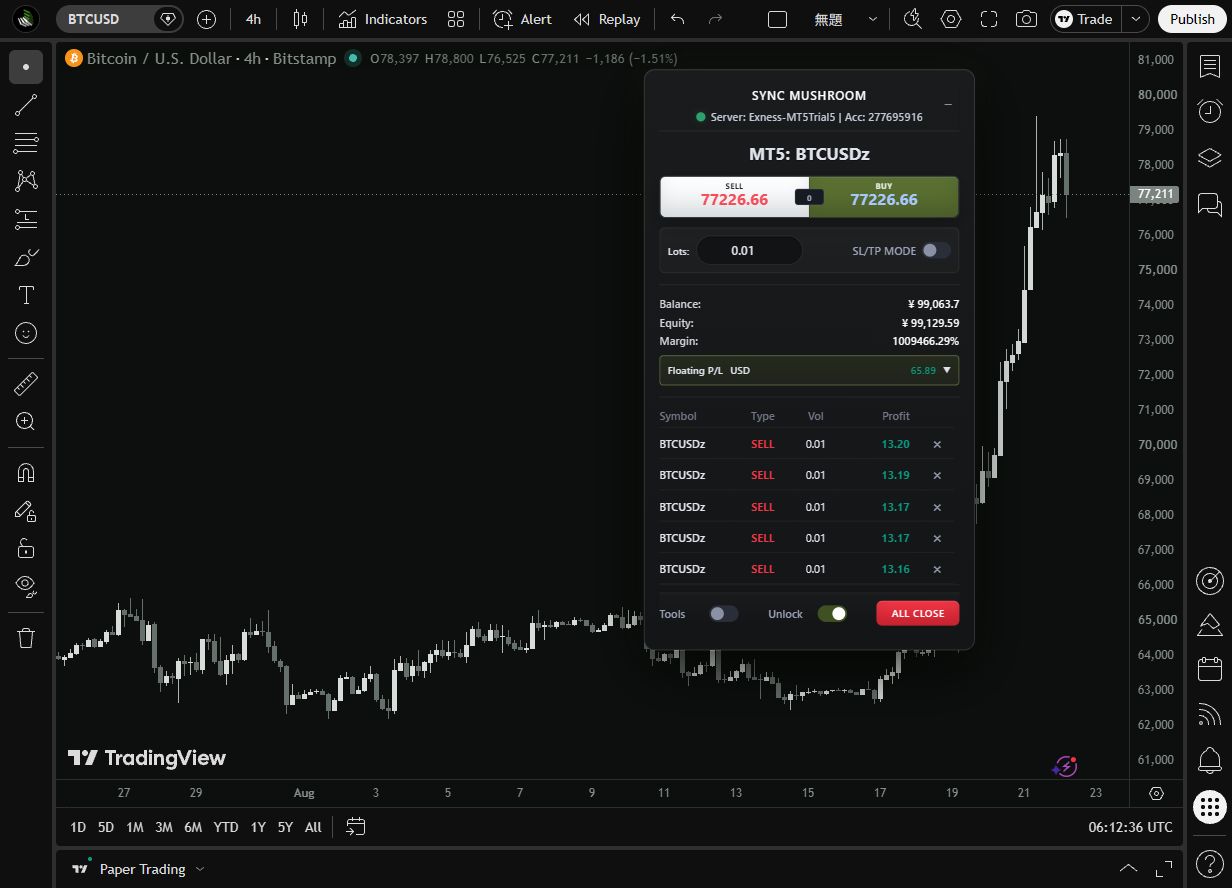
Exit matters as much as entry.
Close and Close All
should not depend
on screen switching or operational drift.
They belong inside the
same
disciplined execution route.
Exit matters as much as entry. Close and Close All should not depend on screen switching or operational drift. They belong inside the same disciplined execution route.
Sync Mushroom is not just a button layer.
Sync
Evidence Console makes visible
the flow between panel action
local bridge
behavior, MT5 response
and visual synchronization.
Sync Mushroom is not just a button layer. Sync Evidence Console makes visible the flow between panel action, local bridge behavior, MT5 response, and visual synchronization.
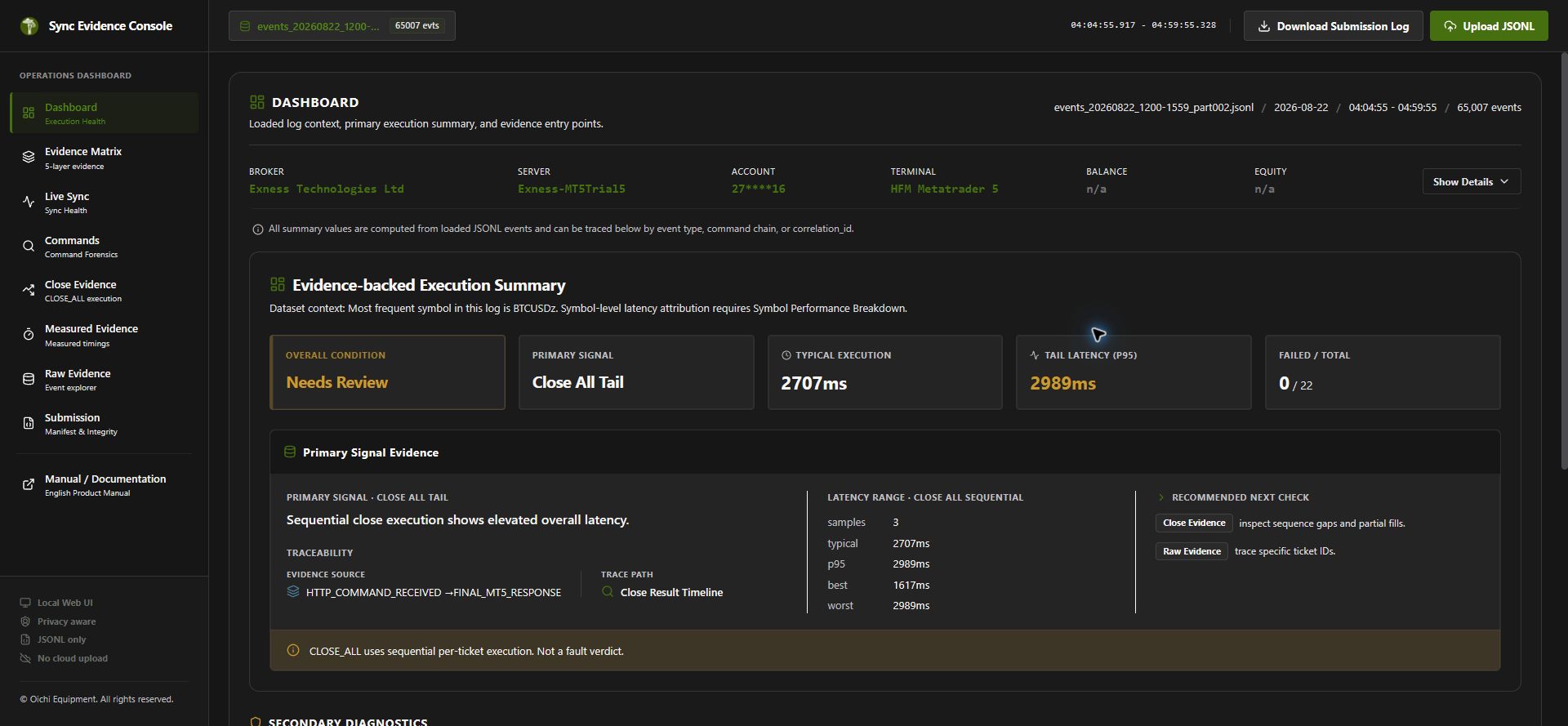
Do not guess
where time disappeared.
By
separating local processing
MT5 response, and panel synchronization
each layer can
be inspected.
Do not guess where time disappeared. By separating local processing, MT5 response, and panel synchronization, each layer can be inspected.
The point is not to blame the broker.
The
point is to separate
local processing, MT5 response
and visual
synchronization
so each layer can be inspected.
The point is not to blame the broker. The point is to separate local processing, MT5 response, and visual synchronization so each layer can be inspected.
BUY, SELL, Pending, Close.
Each command leaves a
trace
across the execution route.
See where the action traveled
and how it came
back.
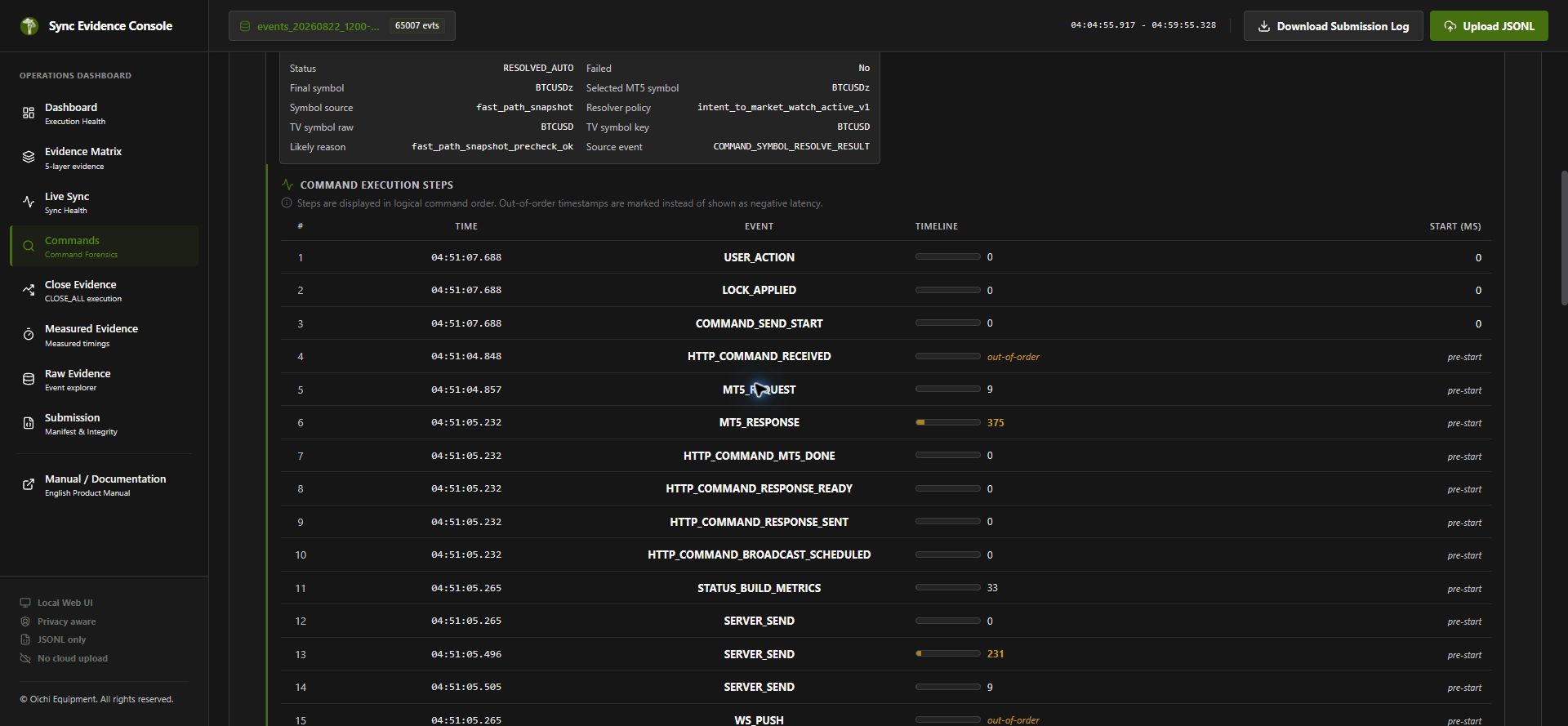
BUY, SELL, Pending, and Close. Each command leaves a trace across the execution route. See where the action traveled and how it came back.
The route is recorded as events
not vibes.
A
quiet ledger remains
for what happened
beneath the surface.
The route is recorded as events, not vibes. A quiet ledger remains for what happened beneath the surface.
Raw events preserve the route
beneath the
interface.
They are not performance analytics.
They record what the
equipment
saw, sent, received, and synchronized.
Raw events preserve the route beneath the interface. They are not performance analytics. They record what the equipment saw, sent, received, and synchronized.
Oichi Equipment does not sell signals
custody,
investment advice
or performance promises.
Sync Mushroom is equipment
for
discretionary traders.
Oichi Equipment does not sell signals, custody, investment advice, or performance promises. Sync Mushroom is equipment for discretionary traders.
Sync Evidence Console
does not score a
strategy
or promise profit.
It shows where an action traveled
returned, and
spent time.
Sync Evidence Console does not score a strategy or promise profit. It shows where an action traveled, returned, and spent time.